Dental Practice Expenses to Review Every Month
A practical, data-backed guide to controlling costs and automating expense workflows.
As a small dental practice owner or office manager, effective expense management for dental practice is crucial to manage cash flow, identify potential cost savings, and ensure profitability. By regularly reviewing your monthly expenses, you can make informed decisions to optimize your practice's financial health. For a complete overview, see our expense management guide.
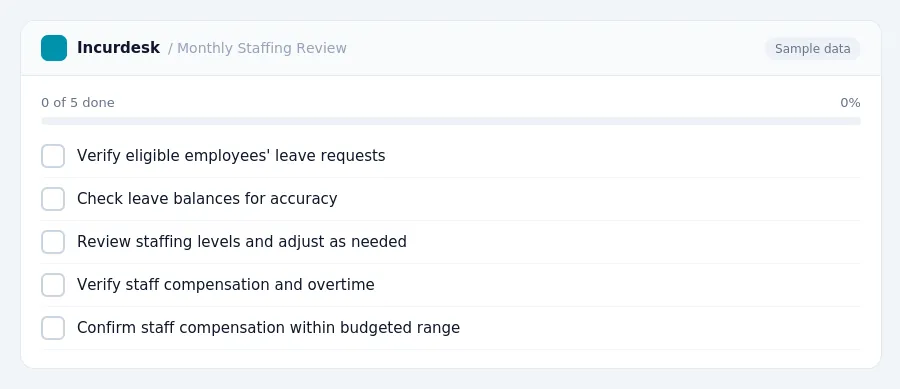
Monthly Financial Review: Staffing and Salaries
To start, check the following:
- Time-off requests: Ensure that you're aware of all eligible employees' leave requests, including Family and Medical Leave Act (FMLA) and military caregiver leave. Remember that eligible employees can take up to 12 workweeks of unpaid, job-protected leave per 12-month period for most qualifying reasons, and up to 26 workweeks for military caregiver leave.
- Leave balances: Verify that employees' leave balances are accurate and up to date. This will help you avoid over- or underpaying employees.
- Staffing levels: Review your staffing levels to ensure they align with your practice's needs. Make adjustments as necessary to maintain optimal staffing levels.
- Staff compensation: Check that all staff members are receiving their correct pay, including overtime and bonuses. Ensure that staff compensation is within your budgeted range.
- Staffing costs as a percentage of collections: Calculate your staff costs as a percentage of collections to ensure they're within the ideal range of 25-28% of collections.
- Tax withholding: Verify that you're withholding the correct amount of taxes from employees' paychecks.
- Payroll deadlines: Ensure that you're meeting all payroll deadlines, including timely payment of wages and taxes.
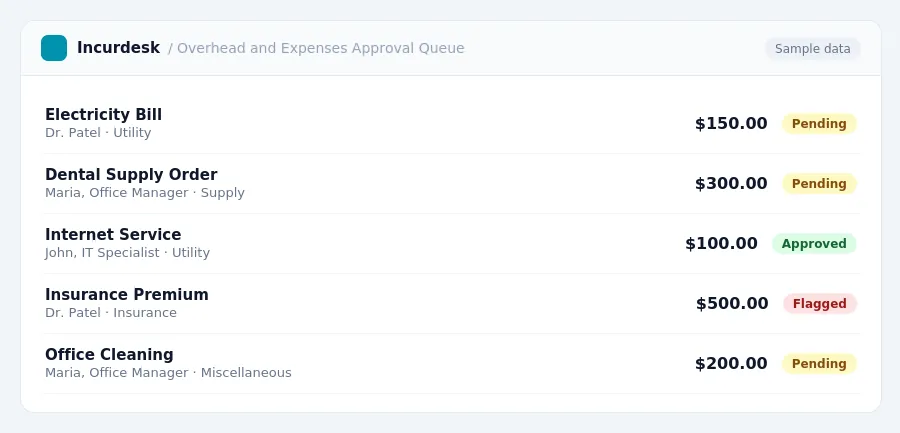
The rules in this guide
| Amount | Required | In Incurdesk |
|---|---|---|
| Above $50 | Itemised receipt | Checked on every expense |
| Above $150 | Written business purpose | Checked on every expense |
| Above $250 | Names of attendees | Checked on every expense |
| Above $2,500 | Senior sign-off; never auto-approved | Checked on every expense |
Each rule is checked on every expense by Incurdesk’s approval agent.
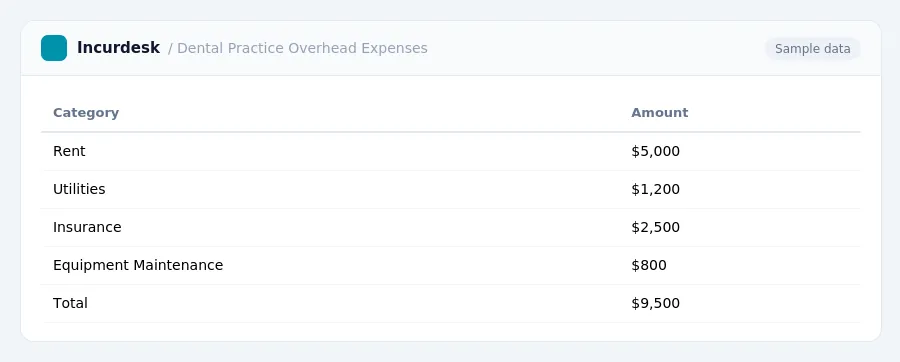
Dental Practice Overhead and Expenses
- Review the following dental practice overhead and expenses to ensure you're staying within recommended benchmarks.
- Staffing and Salaries:
- Utilities, Insurance, and Supplies:
- Confirm that utility bills, insurance premiums, and supply costs are up to date and accurate.
- Review contracts and invoices for any changes or discrepancies.
- Office Rent and Maintenance:
- Check that maintenance and repair costs are being tracked and recorded accurately.
- Marketing and Advertising Expenses:
- Review invoices and receipts for accuracy and completeness.
- Verify that marketing and advertising expenses are within budget.
- Other Expenses:
- Review any other expenses, such as professional fees, travel expenses, and miscellaneous costs.
- Verify that these expenses are accurate and within budget.
- Review and Adjust:
- Compare your actual overhead and expenses to the recommended benchmarks.
- Make adjustments as needed to stay within the recommended 58-65% of gross collections range.
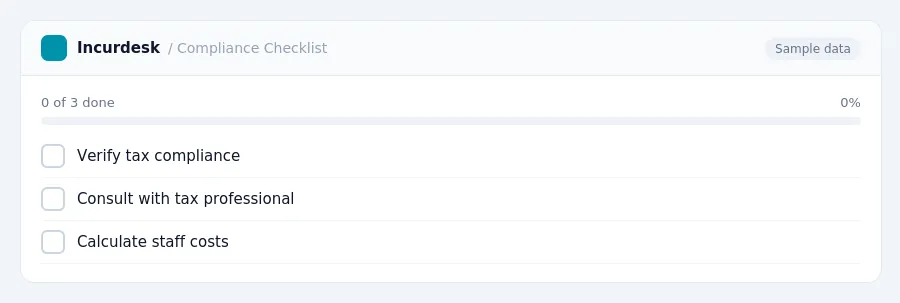
Regulatory Compliance and Taxation
- Verify tax compliance: Ensure you're meeting all tax requirements, including payroll taxes and any industry-specific tax regulations.
- Consult with a tax professional: If you're unsure about any tax-related matters, consider consulting with a tax professional or accountant.
- Calculate your staff costs: Staff costs are the largest component, typically 25-28% of collections.
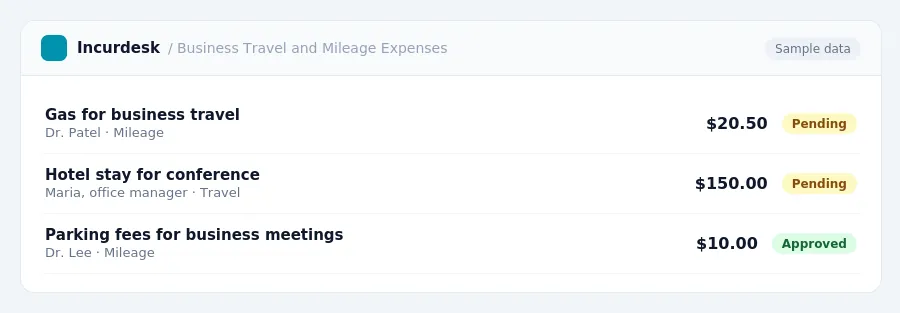
Business Travel and Mileage Expenses
- Verify your business travel and mileage expenses for accuracy and compliance with tax regulations.
-
- 72.5 cents per mile from January 1 to June 30, 2026
- 76 cents per mile from July 1 to December 31, 2026
- (CONUS) under the high-low substantiation method:
- $329 for high-cost localities (effective October 1, 2026, through September 30, 2027)
-
(Source: Per Diem Rates (2026-2027))
- Ensure accurate record-keeping for business travel and mileage expenses, including receipts, logs, and mileage calculations.
Equipment and Asset Depreciation
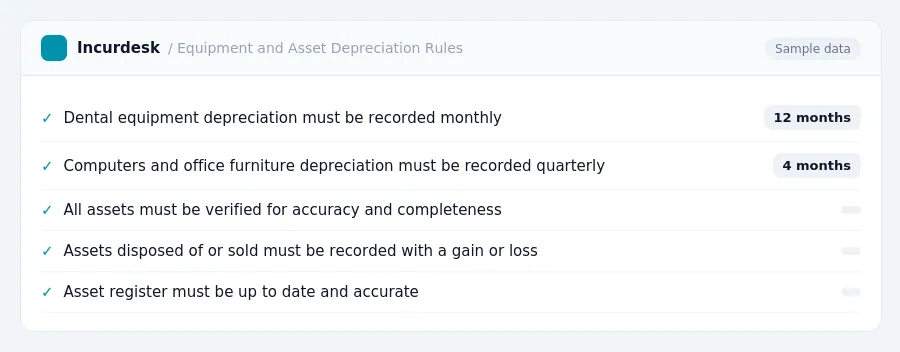
- Review and reconcile your equipment and asset depreciation records each month.
- Ensure you are accurately tracking depreciation for all assets, including dental equipment, computers, and office furniture.
- Verify that depreciation is being recorded in the correct accounting period and that the correct method of depreciation is being used.
- Check for any assets that may have been disposed of or sold during the month and record the gain or loss on disposal.
- Review your asset register to ensure it is up to date and that all assets are accounted for.
- Review your equipment and asset depreciation records to identify any potential areas for cost savings or optimization.
- Consider implementing a system to track and manage equipment and asset maintenance and repairs to help extend the life of your assets and reduce costs.
- Review your overall dental practice overhead to ensure it is within the ideal range of 58-65% of gross collections, excluding owner compensation.
Tax rules, limits and rates change. Confirm current figures with the IRS or your accountant before you file.
See also: Job site petty cash receipt checklist
See also: Owner statement expense reporting for property managers
See also: Dental practice cash flow timing large supply orders
See also: Audit ready expense records for healthcare practices
See also: Expense management private school
Keeping this simple: Incurdesk turns submitted expenses into clean expense reports. It is built for small dental practice teams. Try it free.
AI expense management for finance teams and whoever keeps the books. It checks every expense against your rules, approves the routine ones and chases missing receipts for you.
Try it free for 30 days →Stop losing 4+ hours a week
30-day free trial · No credit card · Setup in 15 minutes