
Zoho Expense vs Xero:
they solve different problems.
Zoho Expense is an expense tool in the Zoho suite. Xero is accounting software. Most 5–50 person teams need something simpler: approvals that work with the cards they already have.
Which option fits your team
For small businesses on Zoho. Setup: ~1 week.
For small businesses. Setup: ~1 week.
Keep your cards. Approve from your phone. 15-min setup.
Not sure which fits?
Three questions. Instant recommendation.
The real cost per month
Software is the small part. Manager time is the big one.
| Option | Software | Mgr hrs/wk | All-in / mo |
|---|---|---|---|
| Zoho Expense | — | ~2 | — |
| Xero | — | ~8 | — |
| Incurdesk | — | ~1 | — |
Head-to-head
The trade-offs, side by side.
| Zoho Expense | Xero | Incurdesk | |
|---|---|---|---|
| Keep your cards | ✓ yes | ✓ yes | ✓ yes |
| Price | Free tier / small teams | Monthly plans / see vendor | $9 /user/mo |
| Setup time | ~1 week | ~1 week | 15 minutes |
| Built for | Small businesses on Zoho | Small businesses | 5–50 person teams |
| Region | Global | Global | Global |
| Sales call to buy | No | No | No |
Where each one wins
And the honest trade-offs.
- Free tier for very small teams
- Fits the Zoho ecosystem
- Simple approval flows
- Clean small-business accounting
- Strong bank feeds
- Large app marketplace
- Keep your cards and bank
- One-tap mobile approvals
- 15-min setup, no sales call
- Two-way QuickBooks & Xero sync
See the dashboard in action
2-minute interactive walkthrough with narration. No signup.

Every month, someone reviews receipts by hand. Not anymore.
The old way
Approve. Reject. Chase missing ones. Match to policies. It eats hours every week.
Not a tool. A team.
Five specialists behind one calm autopilot
Each one does one thing well. Together, they handle the receipt while you sleep.
Reads any receipt. Any language.
Vendor, date, currency, and every line item — extracted in about ten seconds.
Checks your rules. The ones you set once.
Budget limits, category caps, department restrictions — the policy agent knows them all.
Above your bar? Auto-approve.
Below? You decide.
You stay in control. Set the threshold once — the AI never oversteps it. This one: 85%.
Confidence gate — set once, enforced always
Every auto-decision gets its own score. The bar you set never gets crossed by accident.
Spots duplicates. Learns your patterns.
Every override, every dismissal — the team gets sharper.
Ready when you are
30-day free trial. Your founding rate locks the day you subscribe, not day 30.
Questions
Zoho Expense, though praised for its ease of use, requires manual entry for certain expenses and has limited functionality for advanced users, which can be cumbersome for managers overseeing teams. Xero, on the other hand, lacks in reporting capabilities and customization options, falling short for managerial needs. Incurdesk, in contrast, offers AI-powered expense management tailored for teams of 5-50 people, saving managers $10,900/year by automating approval processes.
Zoho Expense, priced at $3/user/month, is best suited for growing businesses, offering a robust set of features that cater to expanding teams. With a G2 score of 4.5/5, it stands out for its ease of use, a trait that saves managers an average of 4 hours/week, translating to $10,900/year in productivity gains. For example, a team of 10 can expect to save around $109,000 annually by streamlining expense approvals. Zoho Expense integrates seamlessly with key accounting tools like QuickBooks and Xero, facilitating effortless expense reporting. However, some users may encounter minor hiccups with third-party integrations, requiring additional setup, and may find the need for manual entry for certain expenses, albeit a minor inconvenience.
30-day free trial. No credit card. Setup takes 15 minutes.
Keep your cards.
Approve in one tap.
15-minute setup. Works with the QuickBooks or Xero you already have. No sales call, no credit card for the trial.
Get My Receipt Scanning Dashboard →Deep dive: Zoho Expense vs Xero
The full comparison: how each tool works, where it falls short, and who it suits.
Zoho Expense vs Xero: A Comprehensive Comparison of Expense Management Software
Choosing the right expense management software can be a daunting task, especially when there are numerous options available in the market. Two popular choices are Zoho Expense and Xero, both of which offer a range of features to streamline your expense tracking and management process. In this article, we'll compare Zoho Expense and Xero in terms of pricing, features, receipt scanning, approvals, integrations, and more.
Pricing
Both Zoho Expense and Xero offer competitive pricing plans, but they differ in terms of the features and services included. Here's a brief overview of their pricing plans:
*Zoho Expense offers three pricing plans: Standard ($3/user/month), Professional ($5/user/month), and Premium ($8/user/month). The Standard plan includes basic features such as expense tracking, AI receipt scanning, and approvals, while the Professional and Premium plans offer additional features like custom fields, advanced analytics, and integrations with other Zoho apps.
*Xero offers three pricing plans: Early ($11/month), Growing ($32/month), and Established ($62/month). The Early plan is suitable for small businesses with basic accounting needs, while the Growing and Established plans offer more advanced features like multi-user access, inventory management, and project tracking.
Features
Both Zoho Expense and Xero offer a range of features to manage expenses, but they differ in terms of their focus and scope. Here are some key features of each software:
*Zoho Expense:
+ Expense tracking and reporting + Receipt scanning and storage + Approvals and workflows + Custom fields and tags + Integrations with other Zoho apps + Advanced analytics and insights *Xero:
+ Accounting and bookkeeping + Invoicing and billing + Inventory management + Project tracking and management + Multi-user access and permissions + Advanced reporting and analyticsReceipt Scanning
Both Zoho Expense and Xero offer receipt scanning capabilities, but they differ in terms of their accuracy and ease of use. Here's a brief overview of their receipt scanning features:
*Zoho Expense: Zoho Expense offers a mobile app that allows users to scan receipts using their smartphone camera. The app uses OCR technology to extract relevant information from the receipt, including date, amount, and category. Users can also upload receipts from their computer or email.
*Xero: Xero offers a receipt scanning feature that allows users to upload receipts from their computer or mobile device. Xero uses OCR technology to extract relevant information from the receipt, but users need to manually enter the category and other details.
Approvals
Both Zoho Expense and Xero offer approval workflows, but they differ in terms of their complexity and customization options. Here's a brief overview of their approval features:
*Zoho Expense: Zoho Expense offers a customizable approval workflow that allows users to create multiple approval levels and assign approvers based on roles or departments. Users can also set up automatic approvals for small expenses or recurring transactions.
*Xero: Xero offers a basic approval workflow that allows users to assign approvers and set up approval levels. However, Xero's approval workflow is not as customizable as Zoho Expense, and users need to use third-party apps to create more complex workflows.
Integrations
Both Zoho Expense and Xero offer integrations with other apps and services, but they differ in terms of their scope and depth. Here's a brief overview of their integrations:
*Zoho Expense: Zoho Expense offers integrations with other Zoho apps, such as Zoho Books, Zoho Inventory, and Zoho CRM. It also integrates with third-party apps like Slack, Trello, and Google Drive.
*Xero: Xero offers integrations with a wide range of third-party apps, including payment gateways, inventory management software, and project management tools. However, Xero's integrations are not as seamless as Zoho Expense, and users need to use third-party connectors to integrate with other apps.
Best for Which Team Size
Both Zoho Expense and Xero are suitable for businesses of all sizes, but they differ in terms of their scalability and complexity. Here's a brief overview of their suitability for different team sizes:
*Zoho Expense: Zoho Expense is suitable for small to medium-sized businesses with up to 100 employees. It offers a simple and intuitive interface that makes it easy to manage expenses, and its pricing plans are competitive for small businesses.
*Xero: Xero is suitable for medium-sized to large businesses with over 100 employees. It offers a more comprehensive set of features that include accounting, invoicing, and inventory management, making it a better choice for larger businesses with more complex financial needs.
Comparison Table
| Feature | Zoho Expense | Xero |
|---|---|---|
| Pricing | Standard ($3/user/month), Professional ($5/user/month), Premium ($8/user/month) | Early ($11/month), Growing ($32/month), Established ($62/month) |
Related comparisonsVerified Pricing Data 📊 Verified Data PricingZoho Expense: $3/user/month | Xero: $15-$78/month Best ForZoho Expense: Growing businesses G2 ScoreZoho Expense: 4.5/5 | Xero: 4.5/5 Key StatThe expense management software market is projected to reach $17.26 billion by 2034 Setup TimeZoho Expense: Minimal setup | Xero: Quick Feature-by-Feature Breakdown AI Receipt Scanning
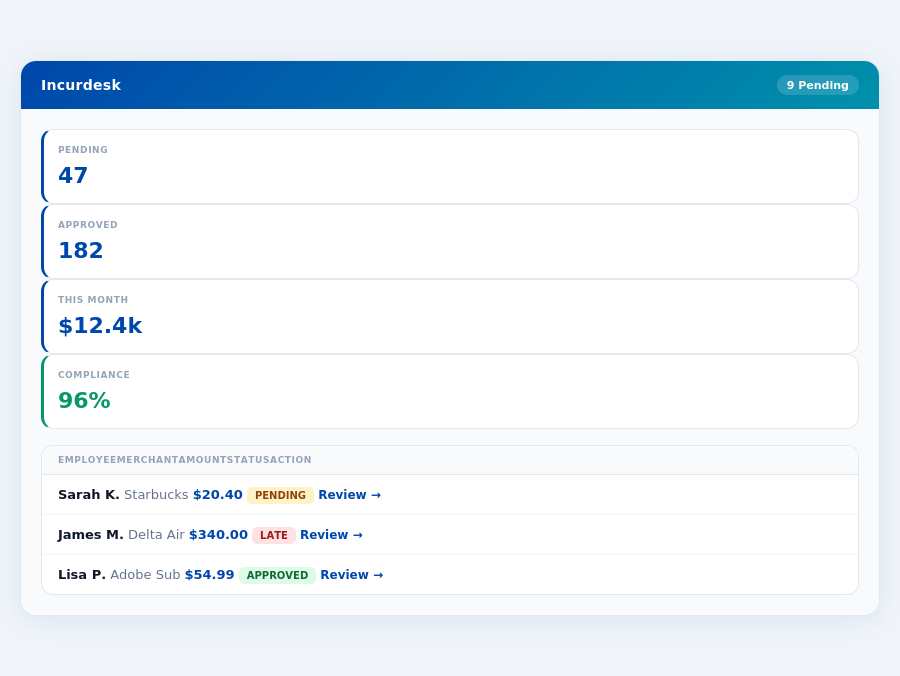
Automated receipt scanning and data extraction
Winner: Zoho Expense
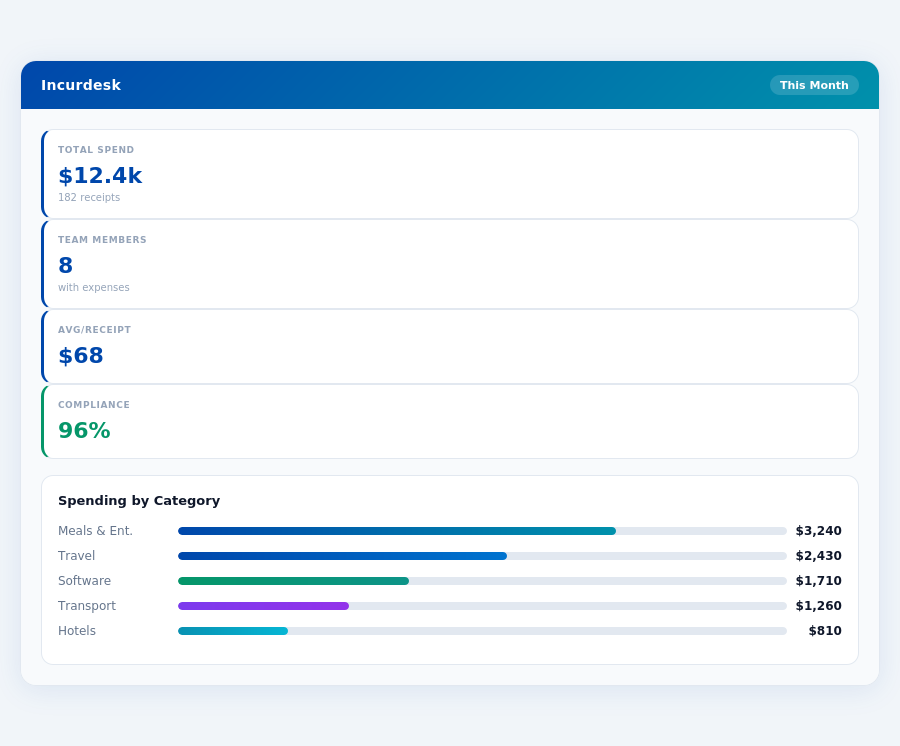
Approval Workflow
Policy enforcement and automated workflows
Winner: Zoho Expense
Real-Time Dashboard
Real-time expense tracking and reporting
Winner: Zoho Expense
Mobile App
Mobile app for on-the-go expense management
Winner: Tie
Expense Policies
Customizable expense policies and approval workflows
Winner: Tie
Setup Speed
Quick and easy setup process
Winner: Zoho Expense
Honest Pros and Cons What Xero does well
User-Friendly Interface: Xero is consistently praised for its intuitive and easy-to-navigate interface, making it accessible even for users without extensive accounting backgrounds. Many reviewers note that they can become productive within hours.
Strong Invoicing and Reporting: The software offers robust invoicing and reporting capabilities, allowing users to easily create, customize, and track invoices, as well as generate various financial reports like profit and loss statements.
Automation of Tasks: Xero excels at automating core accounting tasks, such as bank reconciliation and expense tracking, which saves users significant time and helps keep financial records organized.
Unlimited Users: All pricing tiers of Xero include unlimited users, which is a significant advantage for growing businesses that need multiple team members to access the accounting system without additional per-user fees.
Where it falls short
Customer Support Responsiveness: While customer service is generally rated well, some users report that support can be slow to respond to queries.
Limited Customization Options: Some users find that Xero's customization options are limited, particularly when it comes to reporting and invoicing.
Inventory Management: Xero's inventory management features are not as robust as some users would like, particularly for businesses with complex inventory needs.
Cost: While Xero is generally competitively priced, some users find that the cost adds up, particularly for larger businesses or those with multiple users.
Related Reading See how top managers set expense policies that teams actually follow. How to Set Expense Policies Your Team Will Actually Follow →Related comparisons
Brex vs Xero: 2026 Fee Comparison + Free TrialBrex vs Zoho Expense: 2026 Fee Comparison + Free TrialSAP Concur vs Xero: 2026 Fee Comparison + Free TrialSAP Concur vs Zoho Expense: 2026 Fee Comparison + Free TrialExpensify vs Xero: 2026 Fee Comparison + Free TrialExpensify vs Zoho Expense: 2026 Fee Comparison + Free Trial |